Introduction
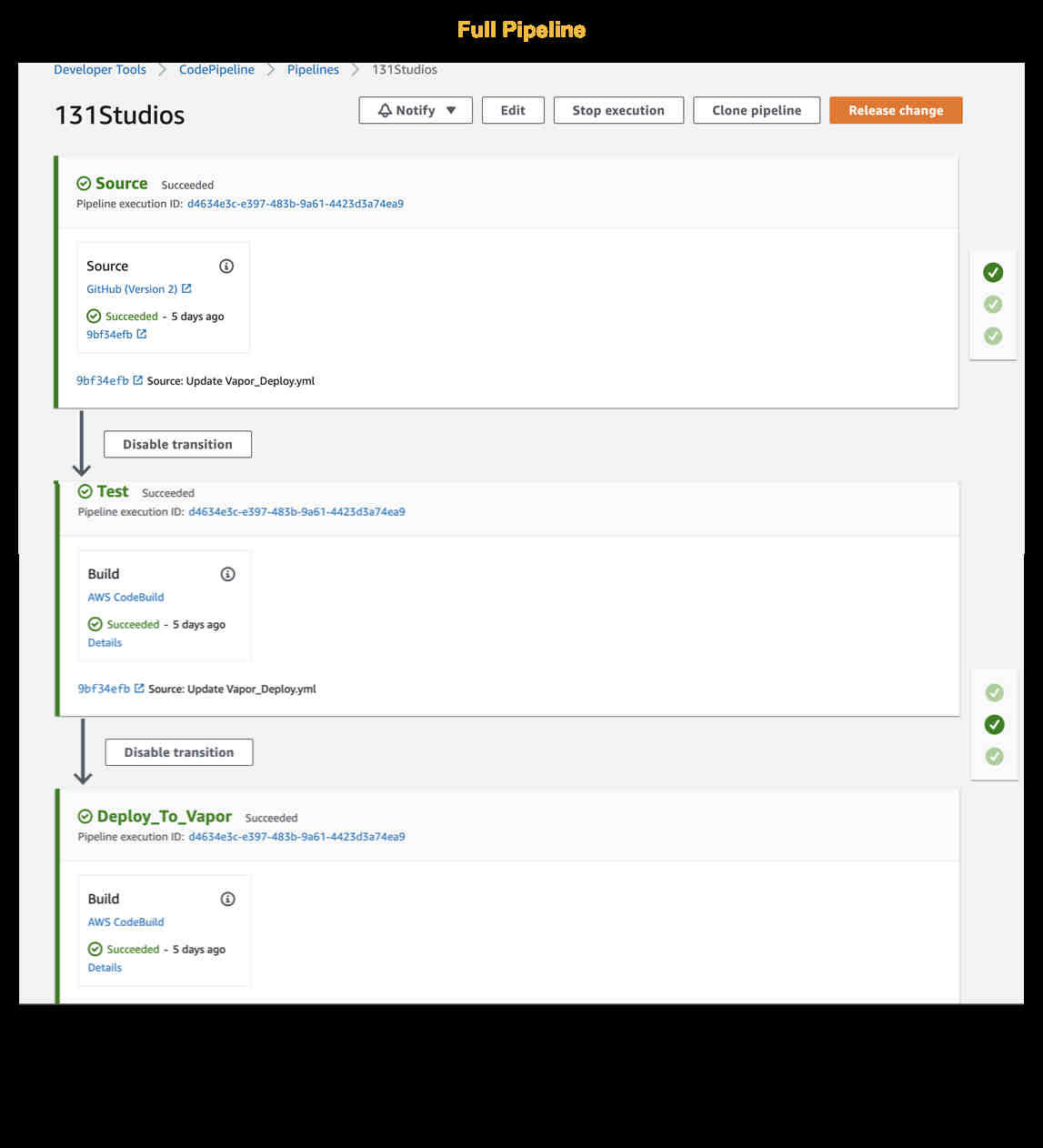
Continuous Integration / Continuous Delivery, or CI/CD for short, is a deployment practice where incremental code changes are made frequently & reliably. This blog will walk through the steps of creating an AWS CodePipeline pipeline to run PHPUnit tests on a Laravel project and subsequently deploy the project to Laravel Vapor, a serverless deployment platform for Laravel, powered by AWS. Each CodePipeline consists of a series of Deployment Projects each of which contains actions that are performed. Each project is executed when the previous task completes meaning that if the PHPUnit tests do not pass, the code will not be deployed to Vapor.
Create The Pipeline
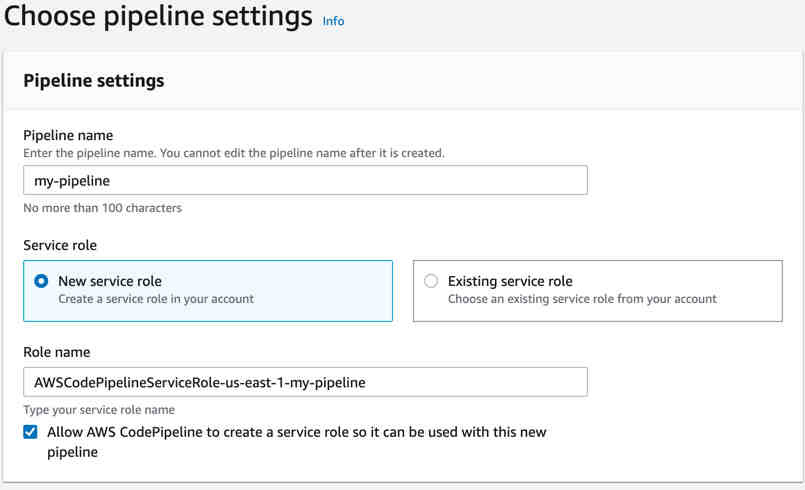
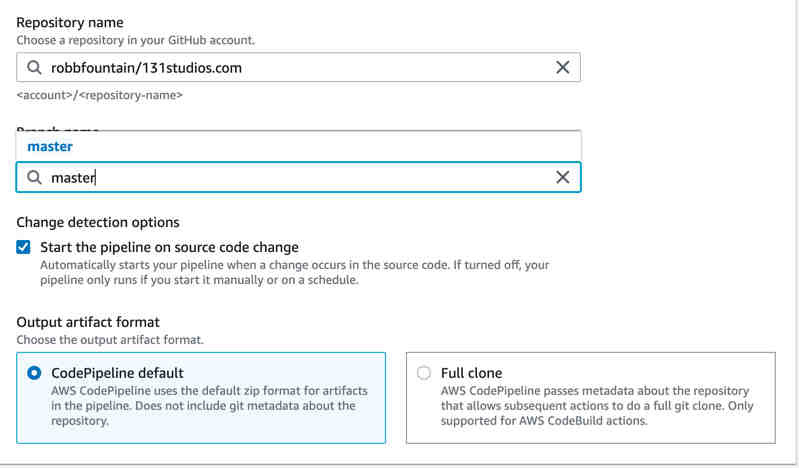
From the AWS Console create a new CodePipeline and give it a name. From there let's add our first stage of the pipeline, the source stage. For this stage we will create a connection to our Github account, select our repository and branch.
Adding our Build Projects
Once we have the repository setup we'll need to create 2 CodeBuild projects. The first for running our tests and the second for deploying our code to Laravel Vapor. Build projects use buildspec.yml files to specify configuration settings for the project. You can specify custom locations for these files. We will be placing our files in the .cicd directory. Start by creating a CodeBuild project to run our tests. You'll need to specify the same Github repository we used during our pipeline build. We need to tell the project how to run our tests. This is accomplished by using a buildspec file. Add the following to a .cicd/PHPUnit_Test.yml file:
version: 0.2

            phases:
              install:
                on-failure: ABORT

                runtime-versions:
                  php: 8.0
                  nodejs: 12.x

                commands:
                  -  |
                      #Install composer
                      php -r "copy('https://getcomposer.org/installer', 'composer-setup.php');"
                      php composer-setup.php ;
                      php -r "unlink('composer-setup.php');" ;
                      mv composer.phar /usr/local/bin/composer

              pre_build:
                commands:
                  - |
                    rm -rf composer.lock
                    composer install --no-interaction --prefer-dist --optimize-autoloader
                    mv .env.staging .env
                    php artisan key:generate

              build:
                on-failure: ABORT
                commands:
                  - |
                      echo Running Tests...
                      ./vendor/bin/phpunit
You'll notice that we are telling the project what version of PHP and Node we need in the build container. There are also different stages of the build process. Each of these stages runs basic commands to build our test environment and execute our tests. Next, create a CodeBuild project for our Vapor deployment. Use the code below in your .cicd/Vapor_Deploy.yml file.
version: 0.2

            phases:
              install:
                on-failure: ABORT

                runtime-versions:
                  php: 8.0
                  nodejs: 12.x

                commands:
                  -  |
                    #Install composer
                    php -r "copy('https://getcomposer.org/installer', 'composer-setup.php');"
                    php composer-setup.php ;
                    php -r "unlink('composer-setup.php');" ;
                    mv composer.phar /usr/local/bin/composer

              pre_build:
                commands:
                  - |
                    rm -rf composer.lock
                    composer install --no-interaction --prefer-dist --optimize-autoloader
                    composer require laravel/vapor-cli --update-with-dependencies

              build:
                on-failure: ABORT
                commands:
                  - |
                    echo Deploying to Vapor...
                    php vendor/bin/vapor deploy production --	commit="${CODEBUILD_RESOLVED_SOURCE_VERSION}"
We will also need to authenticate to the Vapor services to allow our build project to perform the Vapor deployment. In your build project, create a VAPOR_API_TOKEN environment variable and enter your Vapor API token as the value. Save the build project. At this point your pipeline is complete and ready to test. Commit some code to your repository and watch the pipeline execute.
Conclusion
In this blog we created an AWS CodePipeline to test a Laravel project and deploy the project to Vapor. The pipeline is triggered when changes are pushed to the main branch of a repository. We hope you enjoyed this blog post and thank you for reading.
Need help with your next project? We'd love to hear from you.